Keep your agents on the same page.
Your brief, source documents and project decisions give each assignment a shared starting point.
 cohandry.
Build features, fix bugs, and bring your next app to life. Give your agents a shared plan—and a workflow for coding, testing, reviewing, and shipping the result.
Apple Silicon Mac · Development preview 0.1.4
Windows x64.
YOUR PROJECTYour next feature. Your first app. That game idea you keep coming back to.
Join the previewFROM THE FIRST IDEA TO THE NEXT PULL REQUEST
Turn a feature request into a shared plan, working code, test results and a reviewable pull request. Follow the handoffs in one place, and step in whenever you want.
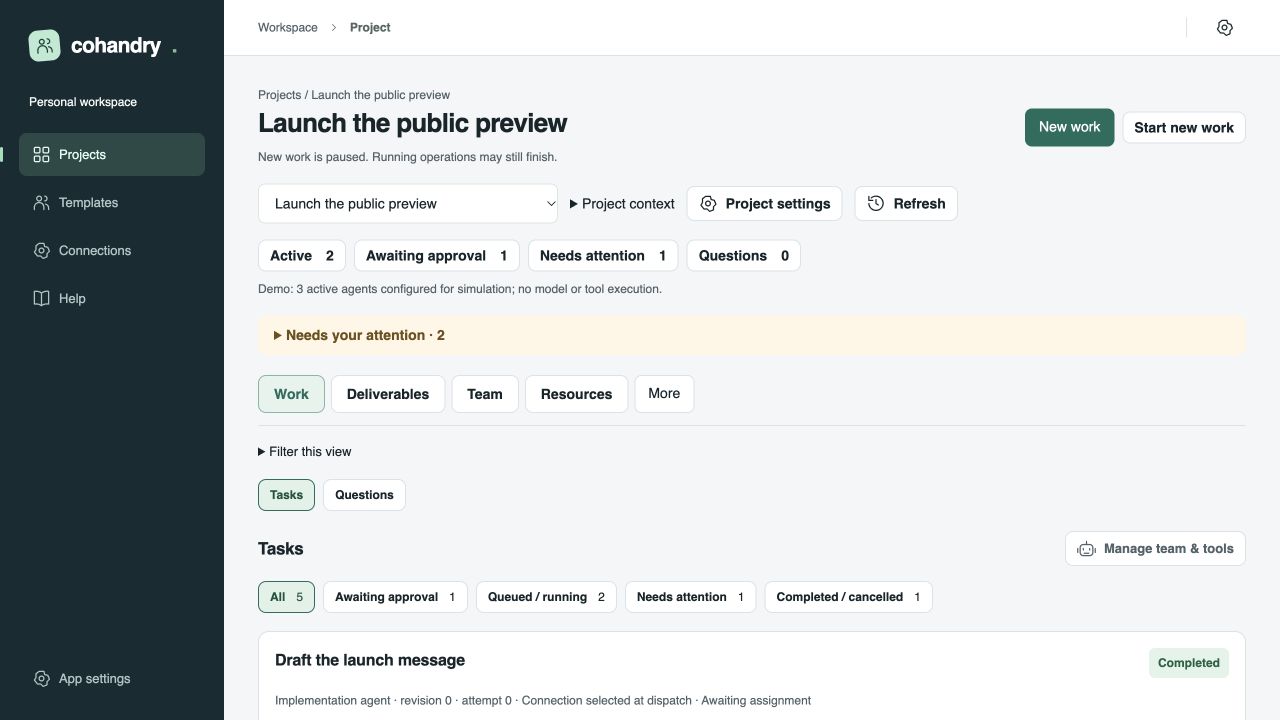
Your brief, source documents and project decisions give each assignment a shared starting point.
Follow file changes and command results. Give a reviewer the submission, then refine the work with focused feedback.
Bring approved changes into a draft pull request, check CI and reviews, and merge when you’re ready.
LESS COORDINATING. MORE BUILDING.
Let a lead organize the work.
Give specialists room to make progress.
Describe the feature, app or prototype. Bring in your repository, references and a team with the roles you need.
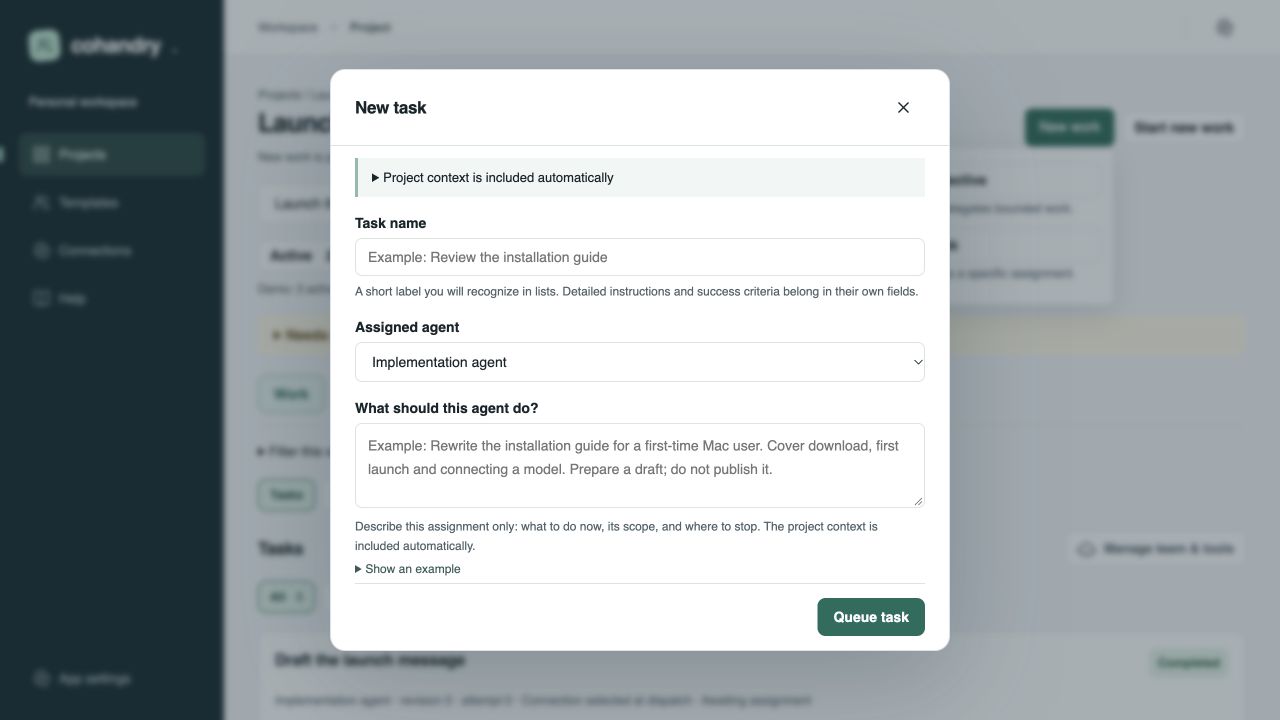
Assign a coding task directly, or give a lead a milestone to break into implementation and review assignments.
Inspect changes, run checks and request a focused correction. Step into the task’s terminal or open the workspace in your editor.
Publish the approved submission to GitHub. Check the pull request, reviews and CI, then integrate the change into your project.
BUILD THE THING YOU HAVE IN MIND.
Start with a coding workflow, then go further. Combine specialist agents, your repository and configured tools to move a real project forward.
WEB APPS & INTERNAL TOOLS
Build a dashboard, a small web app or an internal tool. Give a lead the plan, an implementation agent the code, and a reviewer the result.
“Add saved views to this task dashboard. Include keyboard navigation, tests and a reviewable pull request.”
A project folder, your development tools and a connected model are your starting point.
BRING THE TOOLS YOU BUILD WITH.
Keep your editor, repository and project tools in the loop. Use the connections built into Cohandry, then extend your agents with configured MCP servers.
Task branches, draft pull requests, review feedback, CI checks and merge decisions—all connected to the assignment.
Open the task’s workspace in your installed editor. Follow the changes, make an adjustment and pick up where your agents left off.
Let agents request project commands, follow their output and test results, or step in yourself with the interactive owner shell.
Connect tools for game editors, 3D workflows and other applications through an execution host with the MCP tools you choose.
GitHub, editor shortcuts and the owner shell are built into the workflow. MCP servers and external development tools are installed and configured on your execution host; available actions depend on the connected tool.
YOUR MODELS, WORKING TOGETHER.
Choose the connection for the job. Set a project default or give each agent its own.
MAKE THE WHOLE DEVELOPMENT LOOP YOURS.
Follow the plan, inspect the code and keep the feedback close. Your team can make progress while you choose where to focus.
GOOD QUESTIONS. STRAIGHT ANSWERS.
Bring your AI team together to build apps, add features, fix bugs, refactor code and develop game prototypes. Give agents clear assignments, connect your project tools and move the work through implementation, tests and review. GitHub connects that workflow to your repository and pull requests.
Yes. Connect your repository, select a local project folder and configure the agents and tools for your stack. Open task workspaces in VS Code or Cursor, inspect changes and use the owner shell to work alongside your agents.
Configure an execution host with an installed MCP server and the tool names your agents can use. Cohandry can then route assignments through those tools. Use this to shape workflows for game development, 3D production and other tool-connected projects. Each server provides its own actions and setup; the built-in file workflow is available for ordinary coding tasks.
The download is free for a limited time during development. No card required. Bring your supported model subscription or API connection; provider usage and external services have their own pricing.
Connect a ChatGPT account, or use provider APIs from OpenAI, Anthropic, xAI and OpenRouter. Set a default for the project, or choose a different connection for each specialist. Access and tool support depend on your selected account and model.
Downloads are available for Windows x64 and Apple Silicon Mac and include the application runtime. Connect your model account, select your project folder and configure the tools you want agents to use. Read the Task Garden tutorial for a complete coding project, from the first assignment to GitHub delivery. The current Mac build is unsigned and not notarized; see Preview notes for build details.
Your project records are stored in the local coordinator’s data directory. The context needed for an assignment goes to your chosen model provider. GitHub and other enabled integrations receive the information needed for their part of the workflow.
Verify your email to unlock the app and offline practice kit. Tell us briefly what you plan to build to unlock downloads. The online tutorial is free to read without signup. Product-update emails are optional—you choose whether to receive them.
Yes. Choose Windows x64 after email verification. Download the single Setup EXE; no ZIP extraction is needed.
HELP SHAPE WHAT COMES NEXT.
Share an idea, report a bug, or tell us about the project you’re building. Your feedback helps us make Cohandry better.
THAT PROJECT ISN’T GOING TO BUILD ITSELF.
Bring the feature, the app or the game.
Start building with Cohandry.
Free during development · No card required
macOS / Apple Silicon / v0.1.4 · Windows x64